How to Safely Discharge a Capacitor: Step-by-Step Guide to Discharge a Capacitor with a Multimeter
Capacitors can be found anywhere—from the circuit boards of household appliances to those in industrial machinery—and while they are incredibly useful for storing electrical energy, they have the potential to be dangerous if mishandled. Knowing how to discharge a capacitor safely, whether it is an AC capacitor or a charged capacitor in a power supply, is a critical skill for electronics hobbyists and professionals alike. This ultimate guide will show you how to discharge the capacitor with a multimeter, bust some myths, and several safety and precautionary steps to keep yourself and your equipment safe.
Table of Contents
ToggleImportance of Discharging a Capacitor for Safety

Discharging a capacitor is essential for all circuit board technicians — its contents can surprise you with a deadly shock or fry your equipment if you’re not careful. They hold extra electrical energy, even for days after the power has been turned off! When you’re working on household appliances or high-end audio amps, knowing the right way to discharge and check if a capacitor is safe or not can save you from getting shocked or causing more damage. Don’t be tempted to ease up, take all precautions as if the capacitor is fully charged, even when it’s not.
Overview: What You’ll Learn
In this article, you will discover:
- The role and risks of using a capacitor in everyday electronics
- Step-by-step guides for how to discharge a capacitor with a multimeter
- Different methods for safely discharging AC capacitors and large capacitors
- The use of a capacitor discharge resistor, light bulb, or screwdriver with an insulated handle
- Important safety measures and tips to prevent electric shocks
- How to measure the voltage of the capacitor and check that the capacitor is discharged
- Troubleshooting, real-world examples, and what to do when a capacitor isn’t behaving as expected
Introduction to Capacitors and Discharge Safety
What Is a Capacitor?
A capacitor is an electronic component that stores energy temporarily in an electric field. Capacitors are vital on every circuit board — whether in your TV, radio, or a massive industrial controller — and they come in a variety of sizes, shapes, and types. The leads of the resistor or component in a typical discharge tool are connected to the capacitor terminals to dissipate the stored electrical energy safely.
Common Capacitor Types & Where They’re Found
Capacitor Type | Typical Devices | Main Use |
Electrolytic capacitor | Power supplies | Smoothing, filtering |
AC capacitor | Air conditioners, motors | Starting, running AC motors |
Ceramic capacitor | Radios, computers | Signal coupling, filtering |
Film capacitor | Audio, industrial | High stability, timing |
Supercapacitor | Energy backup, solar | Long-term energy storage |
Why Is Discharging Essential?
A charged capacitor can dump its stored energy in a flash. If you touch the two terminals, or even if you get your fingers close and bridge the two poles of the capacitor, you’re going to get a shock, and possibly fry any sensitive chips on your circuit board.
- When you disconnect the capacitor from its power source, it may still hold the capacitor’s chargefor many hours.
- This is why the process of discharging—the act of draining this hidden charge—is a necessary step before any major repairs, upgrades, or circuit design changes.
How Long Can Capacitors Store Excess Electrical Energy?
Capacitor charging time is very different. Small ceramic capacitors may leak their charge away in seconds for instance, but large capacitors, particularly high voltage ones, can store electrical energy for hours and more and need a proper method to discharge.
Capacitor Type | Discharge Time |
Electrolytic (low voltage) | Seconds to minutes |
AC capacitor | Minutes to hours |
Supercapacitor | Hours to days |
Industrial power capacitors | Up to weeks |
How To Discharge A Capacitor With A Multimeter
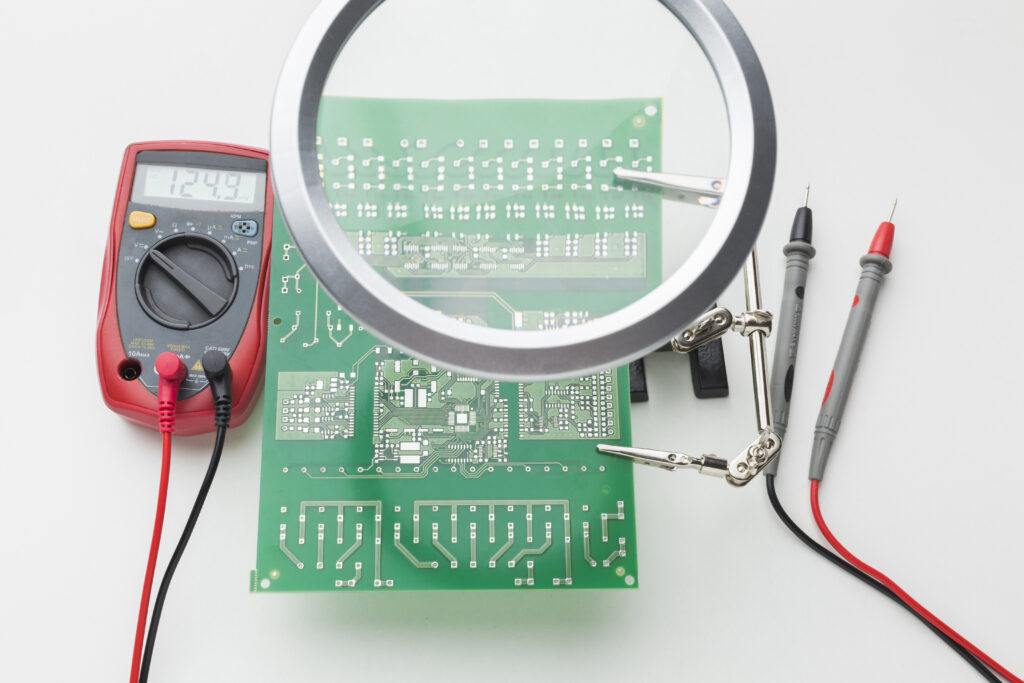
Misconceptions
It’s a hazardous myth that just hooking up a multimeter will safely discharge the capacitor. You need a safe and controlled method to discharge—the meter is used to check the voltage across the capacitor and verify that it has been safely discharged.
Role of the Multimeter
- Set your multimeterto the highest DC voltage range before checking—always expect the highest voltage possible.
- The digital multimeteror analog model lets you measure the voltage and determine the best discharge method.
- Connect the multimeteracross the terminals of the capacitor: this measures the voltage of the capacitor without causing accidental discharge.
Why Multimeter Readings Fluctuate
If you’re observing your multimeter’s voltage reading increase once more after an initial discharge, that is dielectric absorption—an anomaly where the charge inside the capacitor appears to “rebound.” Always reiterate the steps and take the voltage reading again before you write off the capacitor as being discharged.
The First Discharge Step: Measuring Voltage
Step-by-step guide:
- Disconnect the capacitor from its power source.
- Set the multimeterto the highest DC voltage it supports.
- Put on safety measures:Wear rubber or plastic gloves for insulation—a barrier between your hand and the metal.
- Touch the capacitor terminalswith the multimeter probes (do not touch the two probes or terminals at the same time with bare hands!)
- Read the voltage:If any voltage is present, you must discharge the capacitor.
Guidelines for Safely Discharging AC Capacitors and Other Types
Voltage Across | Discharge Needed? | Use of a Capacitor Discharge Method |
<10V | Maybe optional | Check and handle gently, use a resistor for good measure |
10–99V | Yes | Use a resistor, light bulb, or discharge tool |
>100V (high voltage) | Absolutely! | Use an appropriate discharge resistor or tool, never use a metal screwdriver directly |
>400V (highest voltage) | Extreme care! | Only experts—pro discharge tool, lots of insulation |
Methods to Discharge a Capacitor
Discharge a Capacitor Using a Light Bulb
- Cut the wireto appropriate length, stripping both ends.
- Connect one end of each wire to the light bulb terminals, and the other ends to the terminals of the capacitor(poles of the capacitor).
- Ensure you are using a light bulb with a voltage rating that is at least the voltage of the capacitor you are discharging.
- The bulb lights up, using the stored electrical energyto generate light. When it dims and goes out, check with your digital multimeter to ensure the capacitor has discharged.
- This way of discharging is safe for medium-sized to large capacitors, such as the ones that are common in household
- Why this works: The light bulb serves as a load, which you could think of as a device that uses electricity, for the current to flow through, and safely converts that energy into light and heat.
Discharge Step: Use a Screwdriver With an Insulated Handle
- Select a screwdriver with an insulated handleand ensure there’s a solid barrier between your hand and the metal
- Hold the capacitor by the plastic case (not by the leads). Touch the two terminalsof the capacitor at the same time—briefly—with the screwdriver shaft.
- You may see a spark or hear a pop, as the charge inside the capacitoris rapidly released.
- Set the meter and verify voltage is close to 0 before working.
Safely Discharge With an Appropriate Discharge Resistor

It’s also the safest method and the best recommended, particularly when discharging AC capacitors and the high-voltage kind.
- Obtain an appropriate discharge resistor(typically 10kΩ–100kΩ, minimum 5 watts for large capacitors or high voltage).
- Cut the wireto make two leads. Attach one end of each wire to the ends of the resistor; use alligator clips on the other ends for safer and easier attachment.
- Attach one alligator clip to each terminal of the capacitor.
- Wait 30 seconds to a few minutes, depending on the size. The resistor slowly drains the electrical energy without sparks or dangerous surges.
- Use your digital multimeter to confirm the capacitor has discharged(voltage at or close to zero).
- Repeat the process if any voltage remains.
Bonus: Commercial Discharge Tools
Professional discharge tools combine:
- Proper resistance
- Insulated handles
- Visual/audible indicators for safe use
- Robust insulation to prevent electric shock
Capacitor Discharge Methods Comparison
Method | Best for | Pros | Cons |
Light Bulb | Medium capacitors, AC | Visual indicator, safe | Not for high voltage |
Screwdriver (insulated) | Low-voltage, small caps | Quick, easy | Can damage big caps, risky |
Resistor Tool/Discharge Wand | Any, especially large caps | Safest, no sparks, protects circuit | Requires extra components |
After Discharge: Safe Handling and Disposal
- Hold the capacitorby its body, not terminals, after discharging.
- For large capacitorsor high-voltage units, it’s best to short the terminals with a resistor for storage.
- If the capacitor is damaged, leaking, or bulging, handle with gloves and dispose of it as electronic waste.
- Never dispose of high-voltage or old AC capacitors in your household waste—some contain hazardous substances.
FAQs and Troubleshooting
What’s the safest way to discharge a capacitor?
Why do large capacitors sometimes recharge after you discharge them?
Can you use any resistor to discharge?
Is it possible to prevent electric shock completely?
Can I discharge a capacitor with a multimeter?
Common Mistakes to Avoid
- Using a screwdriver on high-voltage capacitors
- Discharging multiple capacitors at the same time
- Failing to confirm zero voltage with a digital multimeter
- Skipping gloves or insulation (using bare hands)
- Not cutting off one end of each wire cleanly or exposing metal parts during setup
Extra Maintenance and Safety Measures
- Store capacitors with leads, shorted with a resistor if possible.
- Regularly check all tools for insulation wear (split screwdriver handlesare dangerous).
- Always perform a final voltage check after a discharge.
- Whenever using a capacitorin a project, review its voltage rating and safety specifications.
- For the best safety, discharge capacitors before removing them from a circuit board.
Final Words: Safe Discharge = Safe Repairs
Check if the capacitor is charged with a dmm before you touch it. Whether you are working on a circuit board or with large capacitors from home appliances, the appropriate discharge step can help protect you from electric shocks and your equipment. Be safe, select the appropriate discharge technique, and don’t assume a capacitor is safe until you’ve confirmed it – twice.