PGA vs LGA: CPU Socket Types & Best Socket Type for CPUs
Introduction
When building or upgrading a PC, selecting the correct CPU socket is essential. LGA and PGA (Land Grid Array vs . Pin Grid Array) is a foundation for proper system performance, Processor compatibility with the system tech. Intel and AMD both the leaders in their industry design processors and motherboards that use these two socket types for their flagship platforms – ranging from Intel’s popular Core series, to AMD’s latest Ryzen and EPYC series CPUs.From this guide, you will learn and understand the main differences between LGA and PGA, the pros and cons of both, why the industry is moving towards LGA with the new AM5 platform in particular, and how these decisions affect your next PC build.
Table of Contents
ToggleWhat is a CPU Socket?
A CPU socket is a physical component in the motherboard that allows CPU installation. It is made to contain the processor and allow the CPU to talk to the rest of the system. There are several socket types to accommodate different CPU architectures and generations maintaining compatibility.
Importance of Socket Types in Processors
The socket type is one of the key factors in whether a CPU can be used with a certain motherboard. Choosing the right CPU socket is essential to a good build or upgrade. Different sockets can’t be installed on one another and trying will your CPU and your motherboard. You’ll want to make sure that your motherboard supports your particular CPU.
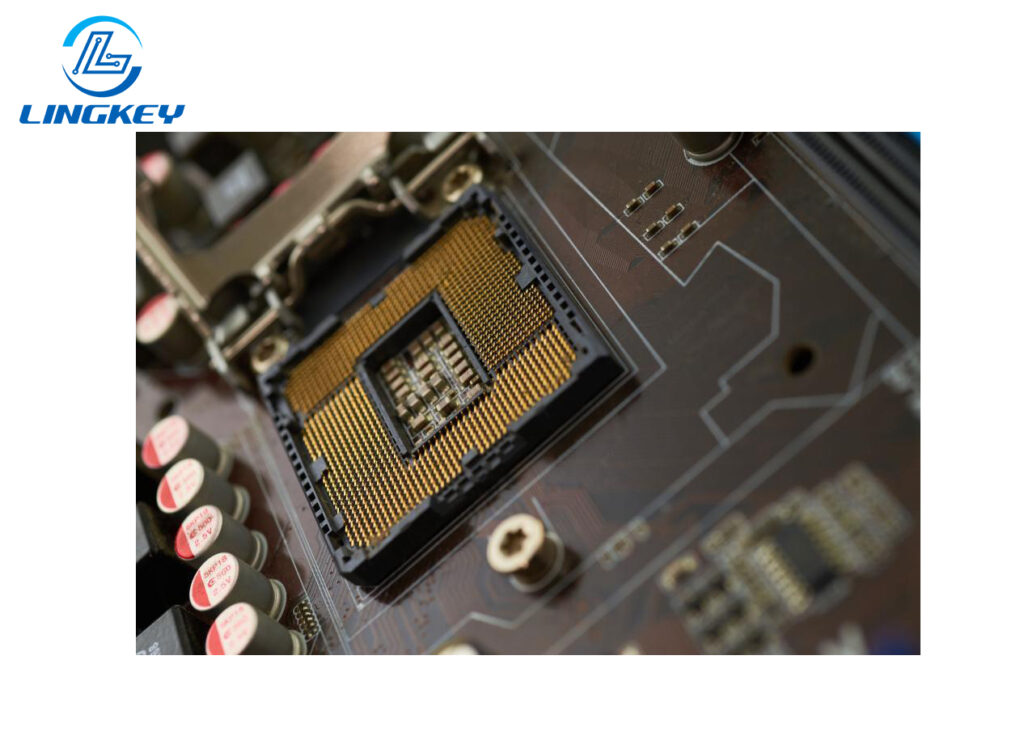
What is LGA (Land Grid Array)?
LGA (Land Grid Array) is a socket type in which the pins are on the socket of the motherboard and the CPU does not have any pins. The CPU has contact pads rather than pins — essentially flat, gold-covered pads on the underside of the package. This configuration is critical to the LGA socket benefits and system stability within desktops and servers.
Types of LGA
- OLGA (Organic Land Grid Array):Used in mainstream processors for flexibility and cost-efficiency.
- PLGA (Plastic Land Grid Array):Offers durability at a lower cost for consumer electronics.
- CLGA (Ceramic Land Grid Array):Found in high-reliability environments where thermal performance is essential.
Major platforms using LGA sockets:
- AIntel Core series(from LGA 1151 up to LGA 1700)
- Intel Xeon servers
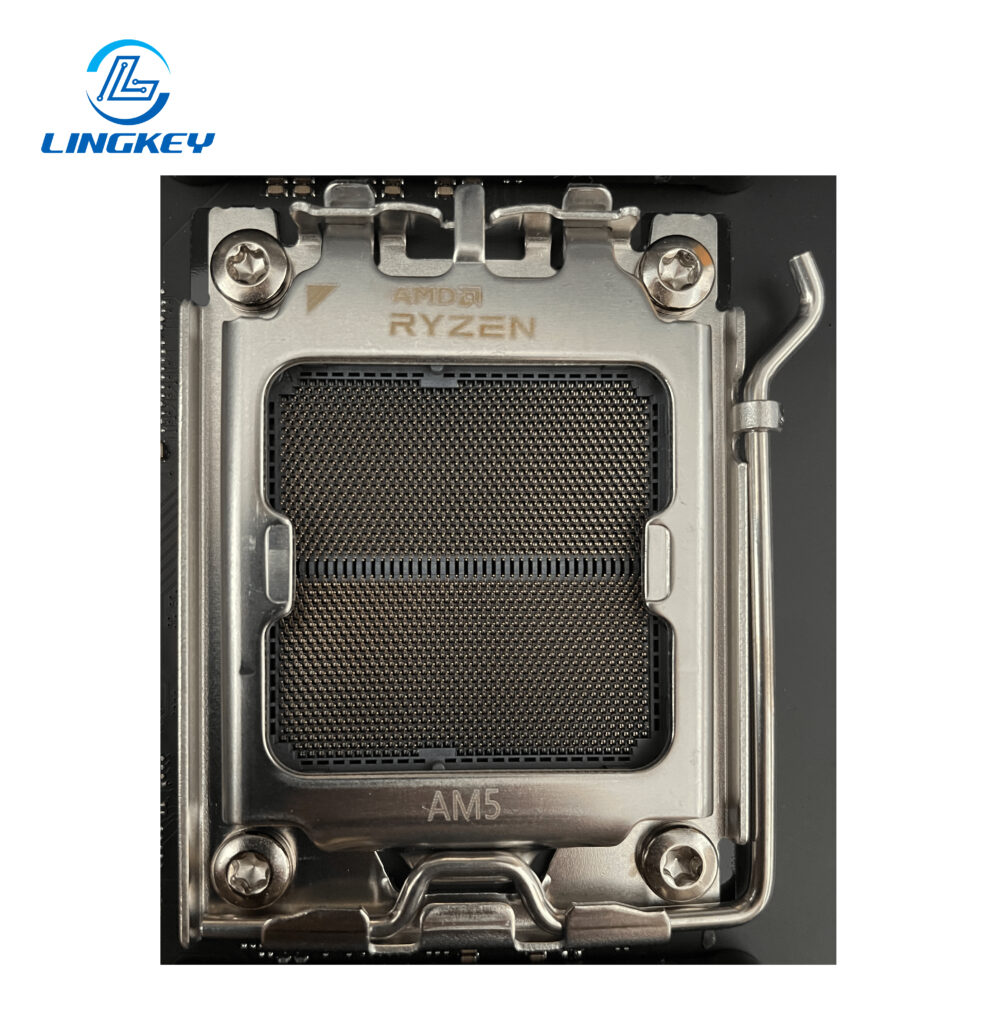
- AMD’s latest Ryzen“LGA with AM5” (Ryzen 7000 series)
- Threadripper and EPYC seriesfor high-end workstations and servers
Advantages of the LGA Processor Package in LGA Design
- More pins:LGA allows more pins than PGA, which is essential for advanced features in the Intel Core series, AMD’s recent Ryzen and high-speed power and data signaling.
- Durability:With no fragile pins on the CPU itself, handling and shipping are safer.
- Pads on the CPU instead:Because the CPU uses contact pads rather than pins, it is less prone to damage from dropping or mishandling.
- Superior power delivery:The dense pin-grid at the bottom of the motherboard ensures stable current for overclocked and high-performance CPUs.
- Best for upgradable systems:Regular socket updates allow the use of latest features and platform extensions in the future, so it’s a good choice if you value a continuous PC upgrade path.
Disadvantages of LGA Sockets
- Motherboard has the pins:That makes the motherboard pins delicate. If they’re bent, it’s hard to fix them and you have to replace the board.
- Socket installation is complex:The alignment needs to be spot on; even a slight misalignment can crimp the pins on the motherboard.
- Higher manufacturing cost:PCB assembly is more costly because of the higher complexity and quality needed for the pin array.
- Not as beginner-friendly:DIY uers may find LGA installation more challenging than PGA, particularly with the newest dense LGA formats such as LGA 1700 or AM5.
What is PGA (Pin Grid Array)?
PGA (Pin Grid Array) is the traditional socket type with the pins on the CPU that insert into tiny holes in the socket on the motherboard. This simpler outlook has made PGA very popular in AMD PGA socket platforms specially for DIY and value builds.
PGAs Meaning and PCB PGA Package
In PCB design, “PGA packages” (pin-grid array) refer to CPUs that have rows of pins on the processor itself, which plug into the motherboard. This is your standard, tried-and-true way to go for the average product, prototypes and for applications which are small-to-medium in the number of pins.
Types of PGA
- CPGA (Ceramic PGA):Excellent thermal and power cycling stability; common in industrial and legacy chips.
- PPGA (Plastic PGA):More affordable and common in consumer-grade desktop PCs.
- SPGA (Staggered PGA):Maximizes pin density for enhanced performance.
- FC-PGA (Flip Chip PGA):Optimizes heat spreader performance.
- Micro PGA:For compact embedded and mobile systems.
- PCB PGA design:Popular for its ease of manufacture and robustness in regular computers.
Advantages of PGA Sockets
- Easier installation:If you are building or upgrading a PC, PGA sockets enable simpler alignment and minimal chance of harming the motherboard.
- Simpler repairs:And because the pins are located on the CPU itself, if it’s damaged, you only need to fix or replace the processor, not the whole board.
- Lower cost:PGA socket motherboards generally have less pins compared to LGA and are easier to be produced, this can bring down the costs of the whole system.
- Long-lasting platform support:For example, the AM4 socket was used across several Ryzen generations allowing platform upgrades to be viable for many years.
Disadvantages of PGA Sockets
- Fragility of CPU pins:The pins on the CPU are slender and can be bent or broken quite easily, this is more likely to happen while installing the processor or when it is being transported.
- Limited future scalability:PGA supports fewer pins than LGA, restricting the feature set and performance of next-gen CPUs.
- Not optimal for extreme performance:The design’s limitations mean PGA socket platforms may fall behind in power delivery and memory bandwidth.
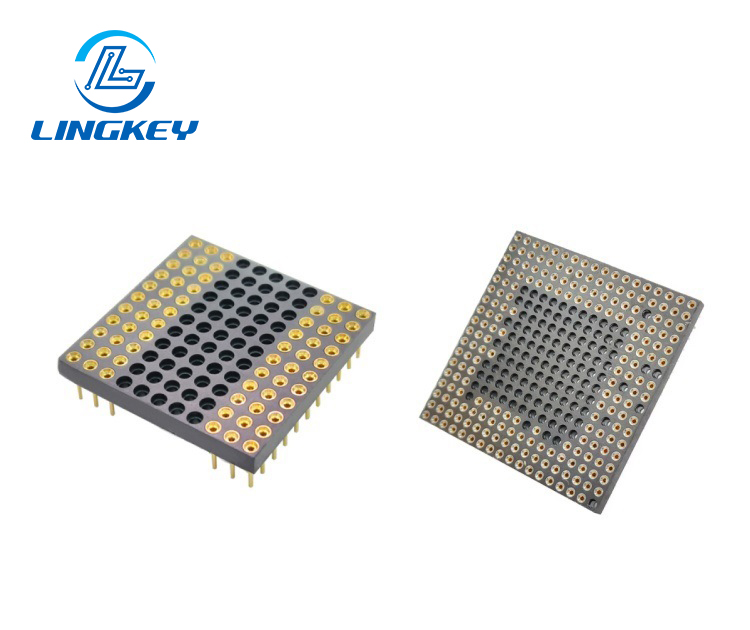
Pin Grid Array (PGA) Design
Structure of PGA Sockets
PGA style is when the CPU has pins and it goes into a socket on the motherboard that has holes. With a PGA socket, the pins on the processor fit into the socket’s holes, rather like a plug going into a socket. AMD Ryzen and previous processors have traditionally utilised PGA sockets such as AM4.
Advantages and Disadvantages of PGA
PGA sockets were, as with the AM4 socket, widely usedby AMD in the past so this is nothing new for them. There are a number of advantages, including:
- Ease of installation
- Ease of replacement of the CPU
However, pin damage in PGA designs is more likely during handling, with possible implications on durability and reliability. The move to AM5 is a departure from PGA for AMD’s high-end chips.
Common Processors Using PGA
AMD’s Ryzen processors, even theprevious generations, made wide use of PGA sockets. A vast majority of the Ryzen CPUs were supported by the popular PGA socket, AM4. The cost and ease of manufacture of PGA layouts were more desirable design goals. With the release of AM5, AMD abandoned PGA for its high-end CPUs.
Land Grid Array (LGA) Design

Structure of LGA Sockets
The LGA design is a modification of the PGA design where the pins are on the socket rather than on the CPU and the CPU has contact pads instead of pins. In an LGA socket these pads make contact with pins located on the motherboard. This design is prevalent in all aspects of Intel products including their most celebrated Intel Core series processors. The LGA socket is structured in a way to enable a stable CPU-motherboard contact for optimum performance.
Advantages and Disadvantages of LGA
An additional benefit of the LGA design is that it is more robust than the PGA design since the CPU’s contact pads are not as easily damaged as pins are. However, LGA sockets are also easier to damage if not handled properly, and fixing one can be tricky. This really is the main difference between LGA and PGA. Find out the what the key differences are as you get to know which socket type suits you best.
Key Differences Between LGA and PGA
The Difference between LGA and PGA is in the pins placement. Pins exist on the PGA CPU and the LGA CPU has contact pads on the CPU and the pins are on the motherboard in the LGA sockets. This affects strength and handling. Knowing these important differences between lga and pga is essential so that you can pick the right cpu and motherboard combo that fits your needs.
Key Differences Between LGA and PGA
Manufacturing and PCB Design
Feature | Hot-Swap PCB | Soldered PCB |
Switch changes | Tool-free | Soldering needed |
Customization options | Extreme | High (with work) |
Durability | Limited by sockets | Longer lifespan |
Assembly | Beginner friendly | Enthusiast/Expert |
Cost | Generally higher | More affordable |
Best for | Versatility | Firmness & longevity |
PGA design usually lent itself to lower cost and easier assembly, whereas LGA’s tight tolerances enable it to be used for more demanding applications and high-speed signals in today’s printed circuit boards.
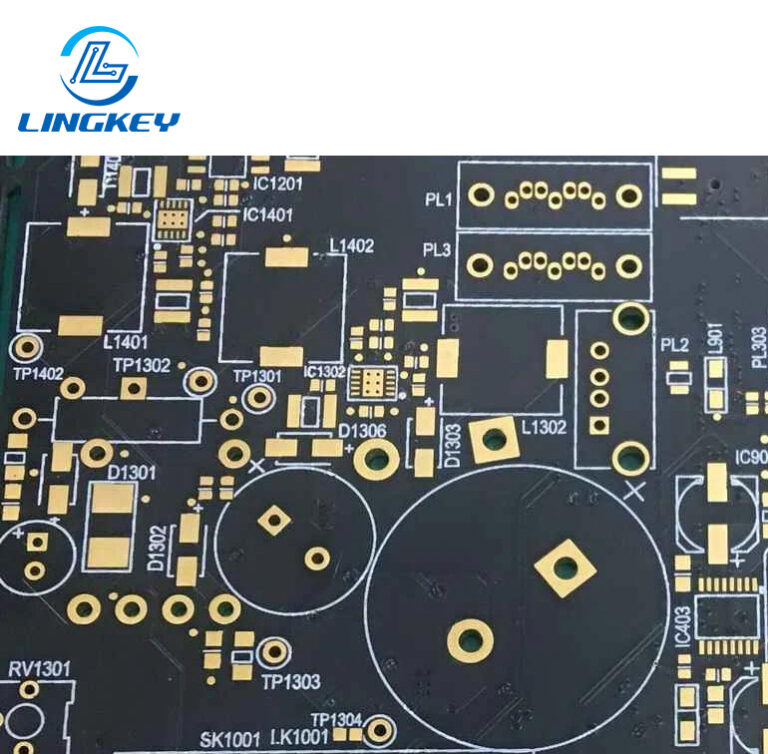
As a PCB manufacturer specializing in high density interconnect (HDI) and CPU socket related board production, LingKey PCB can guarantee tight tolerances for both LGA and PGA designs with our state of the art drilling, imaging and etching capabilities, catering for today’s high pin count platform.
Signal Integrity & System Performance
- LGA and PGA affect how efficiently power and data signals travelbetween the CPU and motherboard.
- LGA’s higher pin densityand reliable contact pads allow closer electrical pathways, lower signal loss, and greater bandwidth—key for EPYC series, high-end Intel Core, and AMD’s latest Ryzen.
- PGA, while solid for most desktop PCsand mainstream computing, may introduce interference or limit performance at the very highest speeds due to fewer pins and greater pin pitch.
- For applications that demand every ounce of system performance—AI workstations, gaming powerhouses, high-transaction servers—LGA is often the platform of choice.
For LGA motherboards that require tight impedance, high-quality low-loss materials and power delivery stability, LingKey PCB offers controlled impedance routing at various levels as well as multilayer stackup configuration to comply with the high-end Intel and AMD platforms.
Compatibility and Upgradability
- LGA sockets tend to be revised every generation (for example: LGA1151, LGA1200, LGA1700), which at times makes upgrading your CPU also necessitate buying a new motherboard, but brings along support for the newest features.
- AMD’slong use of AM4 provided legendary upgradability, now even AMD opts for LGA for its newest Ryzen (with AM5) as only LGA can support the required pin count and features.
- PGA designscan make platforms more durable between generations if the number of pins required remains constant.
LGA vs. PGA Direct Comparison Table
LGA (Land Grid Array) | PGA (Pin Grid Array) | |
Pins | On motherboard | On CPU |
Pads | On CPU (contact pads) | On motherboard |
Pin Density | Higher | Lower |
Power Delivery | Superior | Sufficient for most users |
Durability | CPU safer; fragile socket | Socket safer; fragile CPU |
Installability | Precise, less forgiving | Simpler, DIY friendly |
Repair Cost | High (replace motherboard) | Lower (replace CPU) |
Upgradable | Yes, but platform-specific | Yes, on long-lived platforms |
Popular Use | Intel Core, New AMD Ryzen | Legacy AMD, value desktops |
Scalability | Excellent (future-proof) | Limited |
Key differences between LGA and PGA
- LGA allows for a greater number of pins and provides superior power and data throughput, which makes it better suited for modern CPUs, the latest Ryzen, Intel Xeon, EPYC line, and desktop performance builds.
- PGAis simpler, cheaper to manufacture, and offers easier repairs—but it cannot support the pin counts needed by the most advanced CPUs.
Performance, Practical Use, and Real-World Application
Installing LGA vs. PGA CPUs
LGA Socket Installation:
- Carefully align the CPU over the socket, ensuring the contact pads line up with the pins on the motherboard.
- Lower the CPU straight down, avoiding sliding—since the pins are on the motherboard, mishandling can easily lead to socket damage.
- Secure the retention arm.
PGA Socket Installation:
- Align the pins on the CPUto the holes in the motherboard socket.
- Let the CPU settle gently—never force it. If a pin bends, stop and reposition.
- Close the lever to secure the processor.
Best Practice:
- Since the pins are on the CPU in PGA, inspect them before installation. In LGA, always check the motherboard socket for debris or bent pins.
Real-World Use: Gaming, Servers, and Embedded Systems
- High-performance/Workstations:LGA dominates, supporting multi-core, multi-thread processing, high bandwidth, and future upgrades.
- Mainstream desktop PCs:Value, reliability, and repairability made PGA king for previous AMD platforms, but mainstream CPUs are moving toward LGA for next-gen features.
- Embedded/Compact systems:BGA is favored, but some Micro PGA platforms are used where upgradable CPUs are necessary.
FAQs: Learn the Key Differences
Q: Are LGA and PGA sockets interchangeable?
A: No, every CPU needs its own socket type—don’t try to put one in the other’s socket.
Q: Why are LGA sockets dominating high-end desktops?
A: Due to the fact that LGA can support more pins, it is better suited for more complicated tasks and higher system performance in gaming and workstations.
Q: What happens if my CPU fails or socket is damaged?
A: Bent pins on the CPU itself (PGA) can sometimes be straightened. For LGA, the pins are on the underside of the motherboard and if they get damaged you usually have to replace the board.
Q: Is the switch toward LGA universal?
A: Yes, both Intel and AMD are moving to LGA on their top-tier and newest consumer platforms, with support for new technologies and provision for an upgrade path.
LGA vs. PGA: Which Is Better for Building or Upgrading a PC?
If you want the newest features, the best system performance, and a platform with long life expectancy, LGA is the most future-proof and professional path — this is true for both Intel and AMD’s latest processors. For those interested in simpler builds or bringing life to older, upgradable platforms (such as AMD AM4), PGA is still relevant, particularly for budget PCs.
Checklist for Choosing:
- Building or upgrading for performance: Choose LGA with Intel or AMD AM5.
- Simple repairs or legacy upgrades: PGA may still be best, but LGA is the direction for future compatibility.
- Embedded or compact needs: Consider BGA or Micro PGA for serviceability.
Conclusion
Overall, LGA and PGA have their own unique advantages, but the changing CPU architecture and system requirements end up bring LGA as a preferred design used by top chips from both Intel and AMD that is also in the new AM5 platform. The main differences in LGA vs PGA, from the placement of pins and contact pads, to the capacity to have higher pin counts, make LGA the best choice moving forward for desktop PCs, gaming rigs, and professional workstations.
Whether a system is designed with PGA or moving to LGA such as the new AM5, the PCB reliability is critical. LingKey PCB accommodates both socket types with rigid tolerance, controlled thickness and high density fabrication to maintain stable CPU–motherboard connection in real world scenario.
If you are building or upgrading your desktopPC it is very important to know these pros and cons. If you ever find yourself unsure, just keep this in mind: When considering performance and durability, LGA is the way forward; when considering simplicity and easeof repair, PGA still has its place—is losing its dominance by the day as industry trends continue their push toward LGA design innovation.